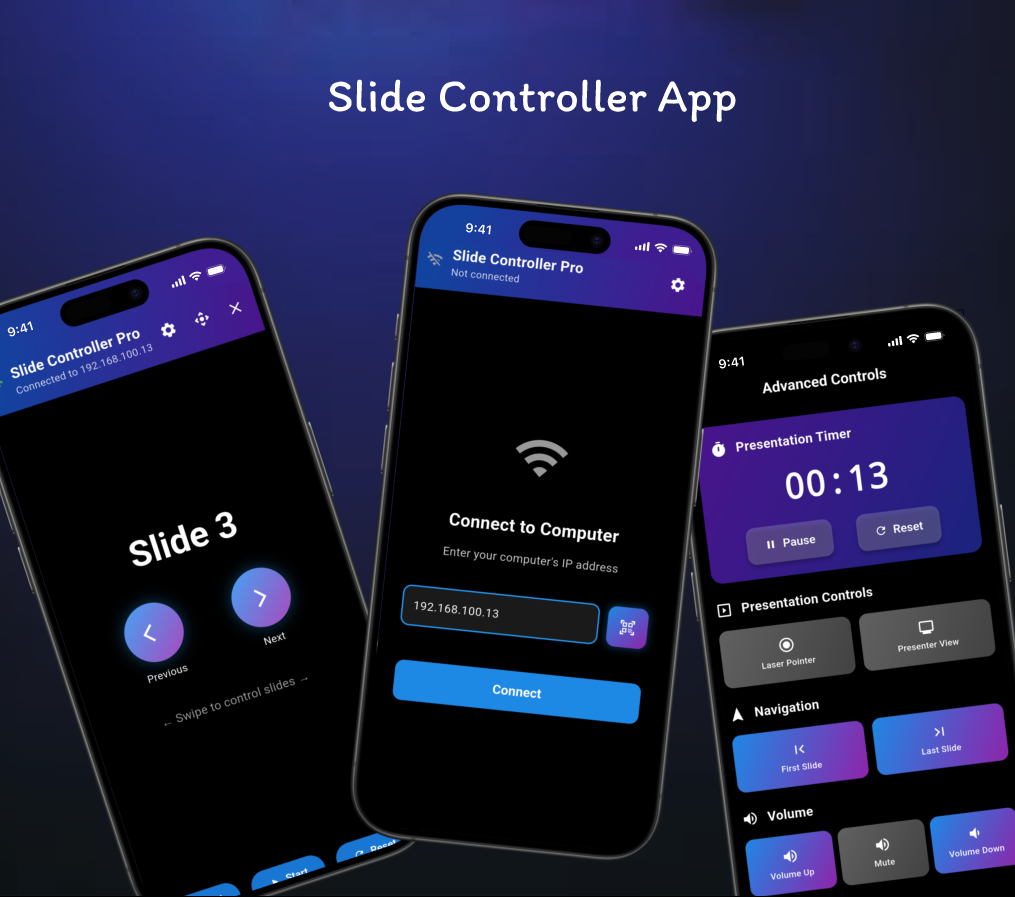
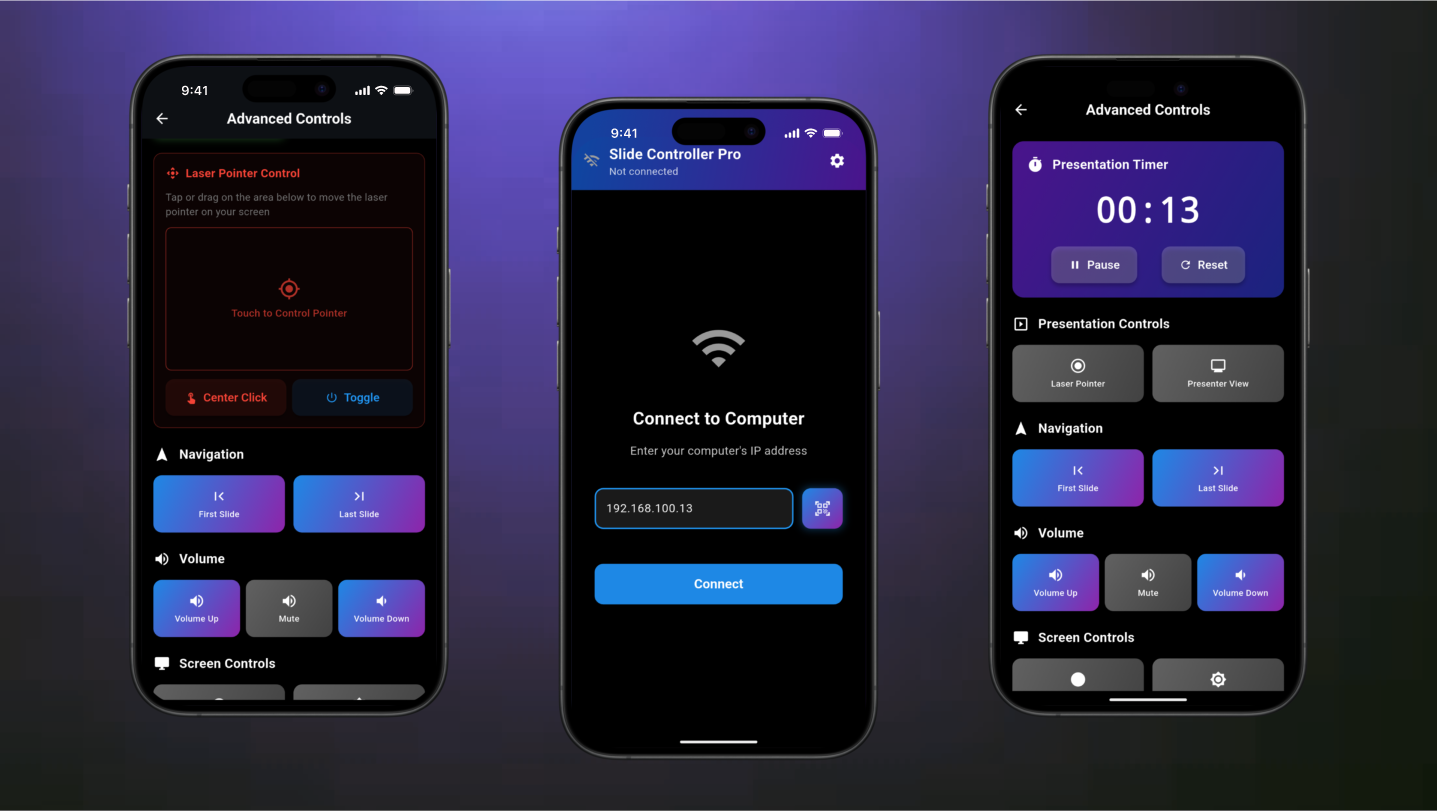
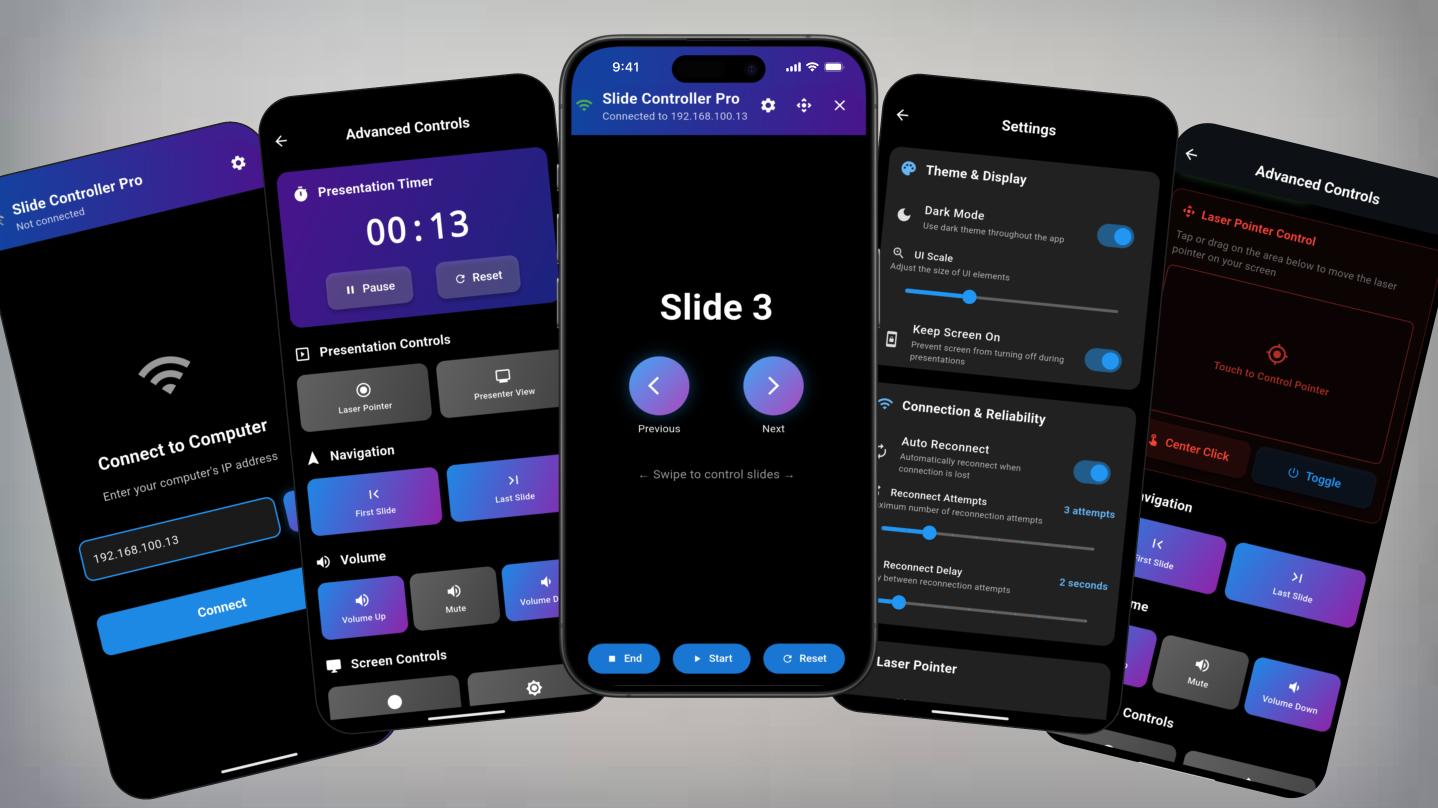
Slide Controller is a wireless presentation control system. It consists of a mobile app (Flutter/Dart) that connects to a desktop Python application via WiFi to remotely control PowerPoint presentations, Google Slides, and videos. It features an IP-based connection for real-time, instant communication between the mobile client and the desktop server.
Used for the cross-platform mobile app (client).
Used for the lightweight desktop server application.
Python libraries used to simulate keyboard/mouse commands to control desktop applications.
Enables real-time wireless communication between the app and the server over a local WiFi network.
Navigate PowerPoint and Google Slides presentations seamlessly (Next, Previous, First, Last, Go-to-Slide).
Manage video playback with Play/Pause, Next/Previous, Volume, and Seek controls.
Uses an IP-based connection over WiFi for an instant, responsive link between the mobile app and desktop.
Flutter mobile app works on both iOS and Android, connecting to a Python server that runs on Windows, macOS, or Linux.
Run the Python application on the PC and note the displayed IP address.
Ensure the phone and PC are on the same WiFi network, then enter the PC's IP address into the Flutter app and tap "Connect".
Once connected, use the mobile interface to control presentations and videos on the desktop.
The Slide Controller project demonstrates a practical client-server architecture, combining a cross-platform Flutter frontend with a robust Python backend. It effectively solves the common problem of needing a remote for presentations by leveraging local network communication, showcasing skills in mobile development, desktop scripting, and networking.